

How Install Spy App On Lg V40
How to Remotely Track an LG Phone
In high-tech today, the smartphone is probably the most important part of our life, not only for adults but also for children. You have lots of options for ordering a mobile phone and there are lots of popular brands are available like LG on the market. Have you ever been curious as to what your kids, boyfriend, girlfriend, husband or wife is chatting about on their LG.
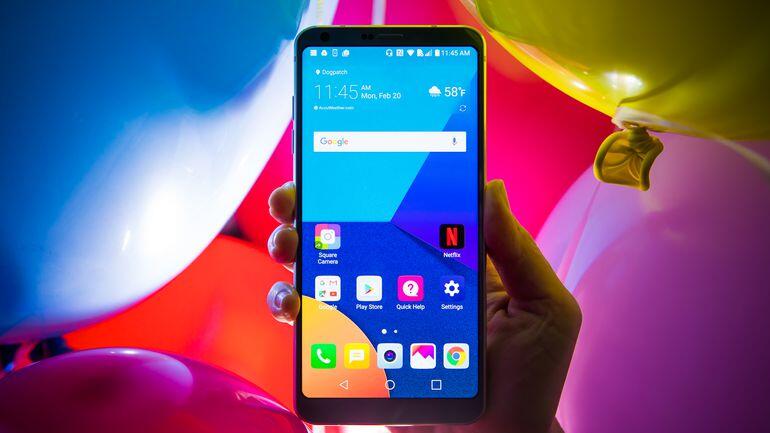
If you're feeling your partner might be cheating for you, but there's no definite evidence. You may want to seek out the facts. Children will always be children, and if you want to protect them, then you need to start keeping an eye on their mobile actions. There is really the technology for doing this, it may called LG Track Software.
If you need to track down LG mobile, you've come to the right place. In this article, you will learn how to spy on LG phones.
PanSpy - Best LG Tracking Tool
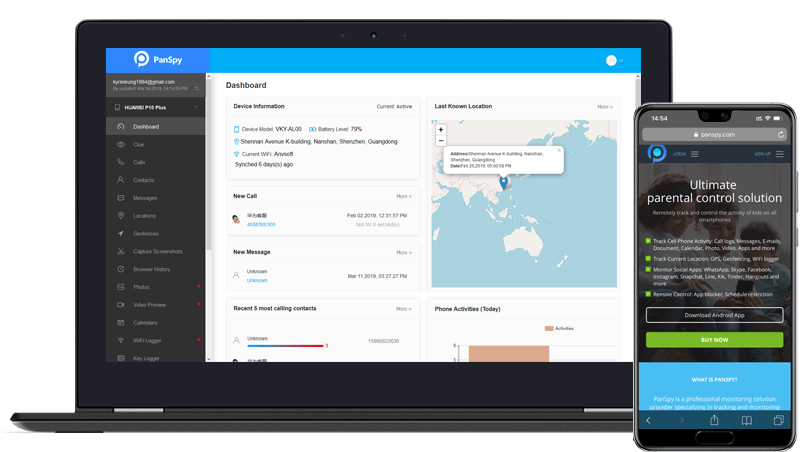
PanSpy is an ultimate mobile phone monitoring application that works well on iPhone, iPad & Android phones including Samsung, HTC, Sony, Huawei, Google Nexus, Lenovo, LG. It does you a great favor to monitor text messages, calls, videos, photos, current GPS location, Viber, WeChat, LINE, Kik, SnapChat, WhatsApp and many more. It helps you to protect your kids from online predators, adult content, and other threats.
Using this LG Track software, you are able to:
- Monitor Calls on LG. You can view the created time of all incoming and outgoing calls, Call duration, the types of calls such as incoming, outgoing, missed or rejected calls, contact names, phone numbers.
- Track Sent/Received Text Messages. You are allowed to view a complete record of all sent and received SMS/iMessages, check sender and receiver names and the number of messages in each chat, download image or video attachments from SMS messages.
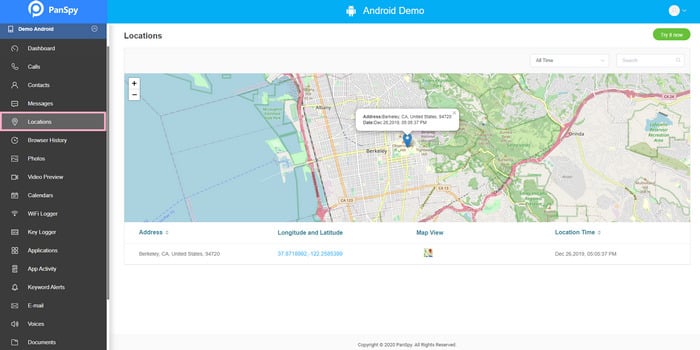
- Spy Current GPS Location / Geo-Fencing. It lets you to check the route history of the device and accurate the whereabouts of the device in real-time.
- Review Messaging Chats: Skype, WhatsApp, Facebook, Snapchat, Line, Kik, Viber, Instagram, Tinder, WeChat, QQ, Hangouts.
- Monitor Internet Usage: Browsing History / Bookmarks / Keylogger/ Keyword Alert/Wi-fi.
- Track Apps. You are able to view installed Apps and personalized on the target device and monitor Apps and download data from Apps.
- Photos / Capture Screenshots. You can view all pictures saved from your child's phone, view all photos as thumbnails, know the exact time and date of each picture.
- Track on Videos. You can view all videos saved from your child's phone, know the exact time and date of each video.
- Keep Track of Calendar Activities, Voice Memos, Notes. It enables you to view detailed Notes & Voice memos on target iPhone/iPad or Android devices, check and read all Notes with photos as well as play all recorded voice memos with PanSpy.
- Read Incoming / Outgoing Emails. Monitor content from all incoming / outgoing emails of Gmail and Outlook, check the date and time stamp of every email, view the senders and recipients saved in the address book.
How to Track On LG Phones?
With PanSpy, you can easily track a LG smartphone and monitor their online activities on Android device.
Step 1. Create An Account for Further Use. Select one of the PanSpy subscriptions and register a PanSpy account. Complete your payment and check your email for the installation instructions.
Note: you don't need to root the target device. In order to receive and get easy access to the login credentials and app download links, we recommend you to use an authentic email address to sign up PanSpy.
Step 2. Install and Set Up. After successfully creating a PanSpy account, you need to follow the Setup Wizard to finish the following setup process. The interface will ask some information related to the LG phone that you wanna track and the user. Simply fill this information to proceed.
Step 3. Log in to PanSpy's Control Panel to start tracking messaging apps, GPS location, multimedia content and any other activities taking place on the monitored device. Simply click the related options such as Call logs, Contact, WhatsApp, Snapchat, Skype, etc on the left side menu of Control Panel, and then you can view detailed content that is displayed on the Control Panel.
The End:
With the help of this cell phone spy tool, tracking a LG phone or any other Android smartphone is an easy task. It is professional and reliable. This tool not only helps you remotely track a LG phone, but also can Track any other Android device.
How Install Spy App On Lg V40
Source: https://www.syncios.com/spy/how-to-spy-on-lg-phones.html
Posted by: lattimoremanderjusto46.blogspot.com
0 Response to "How Install Spy App On Lg V40"
Post a Comment